Font choice is a crucial element of creating the best business card layout. After all, it’s how you share all your important info: name, job title, company, phone number, email, and website. A designer needs to select a business card font that fits their style, industry, and company. Choosing a font is not just about font size, color, or legibility. Instead, the font sets the tone for the entire business card. The right font clearly shares your message while fitting in seamlessly with the rest of the card design.
Fonts should always be in sync with the design and target audience, so it’s important to have an arsenal of amazing fonts at your disposal for various projects. The best font for business cards will be different for each composition. Here is a collection of 15 simple yet professional fonts suitable for business cards.
What is the Best Font for a Business Card?
The best business cards fonts balance readability with style. Too much flourish, like an elaborate script font, and no one will be able to read your email. Too simple, like a basic, black Times New Roman text printed on a plain white background, and your business card won’t stand out from the pile. The font should also be attractive to your intended customers or clients. A senior finance professional should stick with traditional fonts, such as Times New Roman or Helvetica. People in artistic fields, like graphic design or writing, can use fun fonts, like Futura®. Typically, a business card features a serif font, which has decorative lines at the ends of each longer line, or a sans serif font, which does not have those extra lines. These types of fonts are easy to read.
How to Choose Business Card Fonts
Choosing business card fonts will depend on your industry, job title, and intended audience. Start with the general aesthetic you’re trying to achieve – modern, minimalist, traditional, quirky, etc.
Next, you have to consider where you will source fonts. Many of the best free fonts are easy to download (and many are available through GotPrint’s free design templates). It should also pair well with your pre-existing business branding. An ultra-modern company logo design might look odd next to a decorative script font. Use any fonts or styles that fit your brand identity.
The business card font size will also depend on what information that line is conveying. The best business card layout will feature business card text size variety. For primary information, like your name, use 10-16 pt. sizing, depending on which font you’re using. Your job title or department should be between 8-10 pt. Your contact information should be 7-9 pt. Don’t print anything below 7 pt, as it will be difficult to read.
How Many Fonts Should You Use on a Business Card?
Most designers follow the 3 Font Rule. What is the 3 Font Rule? It’s a general guideline suggesting you limit your layout to three fonts. This prevents your design from being too cluttered and busy. It also helps establish a visual hierarchy. Use one font for the heading – your name, a different font for the subheading – your job title – and another font for the body – your contact information and other copy. If you don’t want to use three fonts, you can use different text sizes to create the same visual effect. However, you should not use more than three font sizes on your business cards.
If you’re going to use different fonts, you should keep them within the same font family, which is a group of fonts that share similar design features. You can combine one serif font with one sans serif font, or explore different font postures (regular, italic, or bold).
Best Fonts for Business Cards
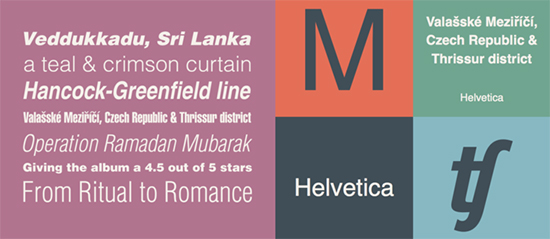
1. Helvetica
Helvetica is a classic for a reason, and it remains a top choice when it comes professional looking fonts for business cards. Helvetica is simple without being boring. The Grotesque sans serif typeface was originally designed in Switzerland in 1957 and quickly replaced Futura as the world’s most popular sans serif font. If you’re considering multiple fonts for business cards, you can’t go wrong with Helvetica.
As graphic designer Dicran K. explains, “My favorite font is Helvetica. Some fonts have such a strong personality that they drive the overall design. Helvetica, in my opinion, is more than a font, but a design tool; the letterforms are perfectly crafted and pleasing to the eye. It’s a timeless typeface.”
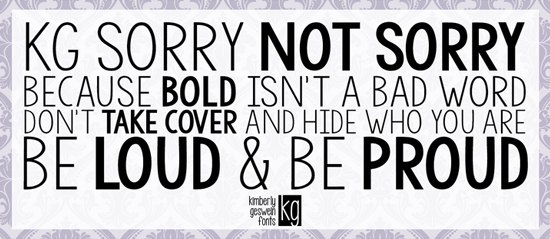
2. KG Sorry Not Sorry
When it comes to your business card, you want your name to stand out. KG Sorry Not Sorry was designed to stand out in a professional manner. Designer Kimberly Geswein describes the font like this: “It’s a clean, all-caps font that looks great for names.”
KG Sorry Not Sorry is easily readable with a casual flair, so it’s a great choice for users who want their business cards to have a conversational feel.
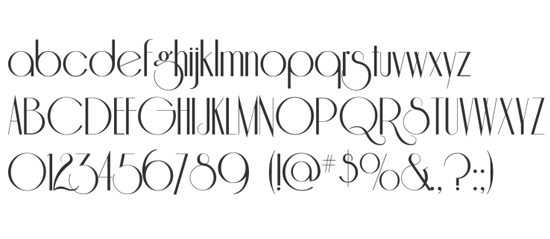
3. Riesling
The Riesling font is timeless, smooth, and elegant, just like the classic wine it’s named for. According to designer Evian, “I love the delicacy of the font and the exaggerated descender. The font is highly stylized with lines that go from thick to thin, while the tracking is very tight and clean with a touch of playfulness.”
Riesling adds a European touch to any design, and it is sure to stand out on any business card without feeling overly showy. This quirky business card font style is perfect for people in artistic fields.
4. Gibson
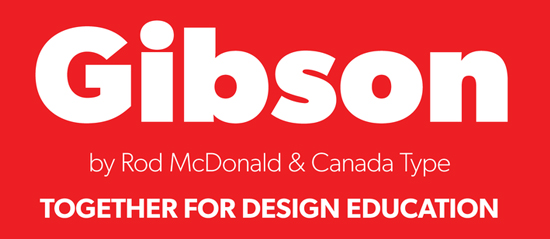
Gibson continues to be a popular font among designers for a good reason. It offers an easy-to-read sans serif typeface created by famed Canadian type designer Rod McDonald. Gibson is a business card typography that immediately catches the eye.
5. Ciutadella
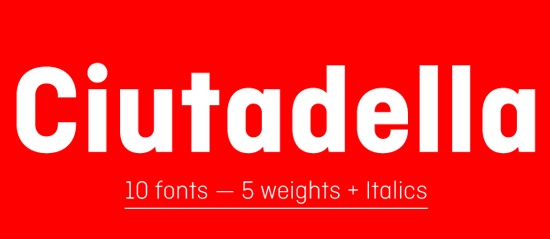
Many times, less is more, and the hallmark of Ciutadella is its simplicity. The font’s clean appearance fits in perfectly with a variety of design styles. Creator Eduardo Manso designed this geometric sans serif font to be simple without being boring.
6. Centrale Sans
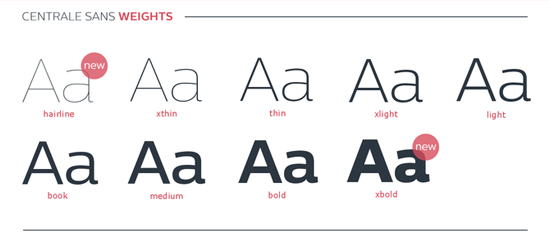
If you’re searching for an open font with a modern look for your business card, you can’t go wrong with Centrale Sans. This warm, friendly font is professional without feeling stuffy. Centrale Sans is a good font for business cards, since it is easy to read.
7. Infinity
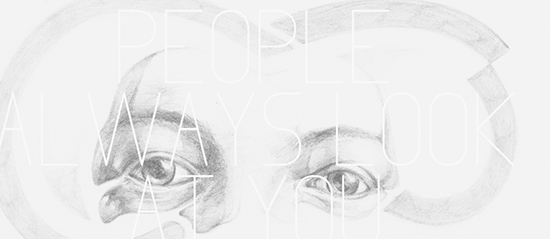
As its name suggests, this font offers an infinite amount of possibilities. Infinity is easily legible with a uniquely modern touch. When you utilize this font on your business card, you’ll appreciate its simple lines and curves.
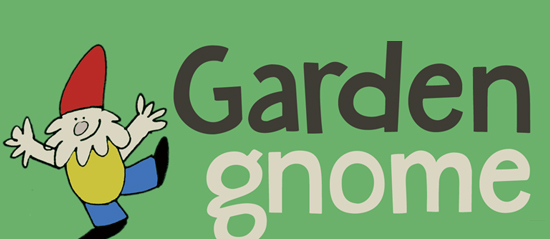
8. Garden Gnome
This rounded, bouncy font has a whimsical flair. Thanks to its happy style, it’s an excellent choice for business cards for those in child-related businesses, such as children’s book authors, teachers, or other specialists.
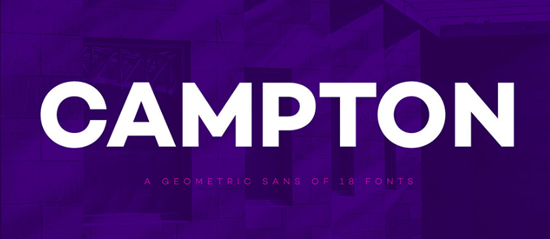
9. Campton
Make a statement with this geometric, unconventional font. Your name is sure to stand out on your business card when you add a modern touch with Campton. The font incorporates touches from Johnston Sans and Gill Sans with a contemporary flair.
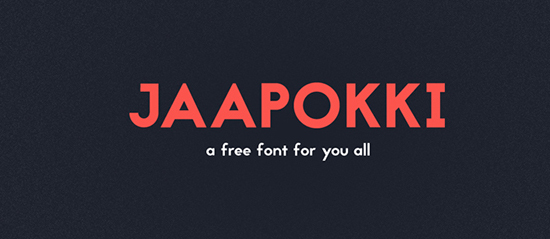
10. Jaapokki
Old world charm and modern, clean lines meet in the Jaapokki font family. The font is clean and well-balanced, making it an excellent choice for business cards and other print projects. Best of all, Jaapokki, two alternatives, and a large set of glyphs are all available at no charge to users across the globe.
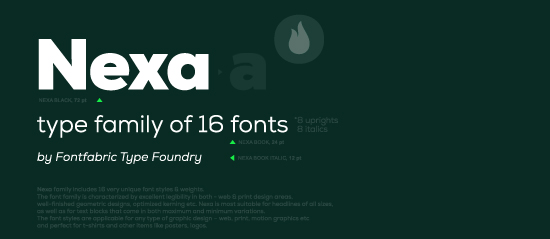
11. Nexa
When you are creating a business card, you want to make sure that your message and contact information is clearly conveyed. Nexa offers excellent legibility thanks to its clean lines and understated elegance. The Nexa font family includes 16 different styles and weights, so you can add variety to your business card while enjoying continuity between Nexa styles.
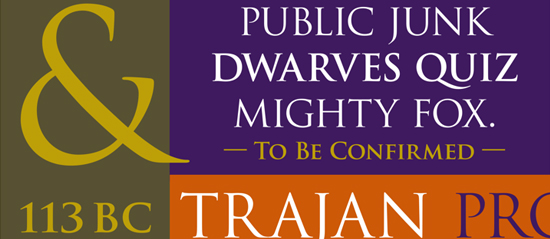
12. Trajan
Bring a touch of classic style to your next business card design by incorporating Trajan. This font was inspired by classic Roman letterforms. Its understated elegance helps set your business card apart from the crowd while remaining professional. Trajan is a traditional font that is ideal for formal business networking.
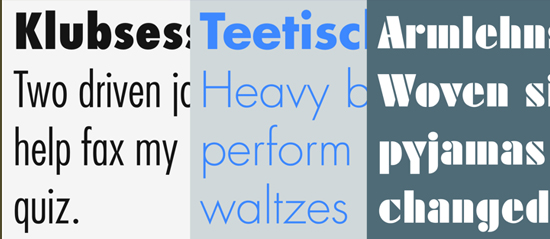
13. Futura®
Future was first presented by the Bauer Type Foundry in 1928, and this classic font has withstood the test of time. Designers appreciate its generous line spacing and wide range of weights and styles, and viewers immediately notice Futura’s strength and clarity.
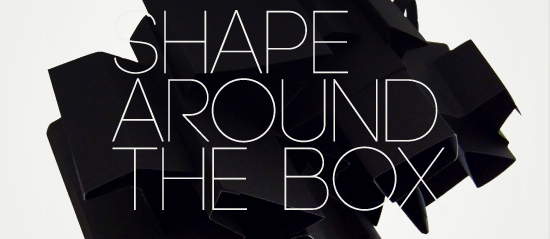
14. CODE
CODE incorporates many details of traditional sans serif fonts and adds a modern twist. Designers describe this all-caps font as clean and elegant, and readers appreciate that it is straight to the point.
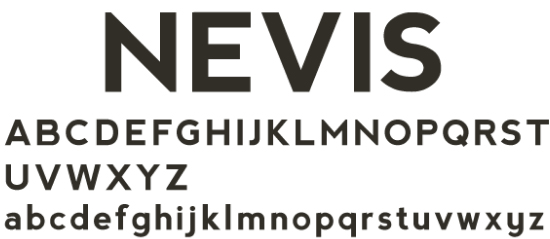
15. Nevis
If you want the information on your business card to stand out, Nevis is an excellent choice. This strong typeface features strong angles, and it is especially eye-catching when it is used in all caps. Use it to emphasize your name on your business card when you need to portray a strong, but friendly, persona.
The next time you’re searching for inspiration for a business card font, looking through these choices is a great place to start. The best font for business card designs won’t be the same for everyone. Consider the message you want to send, and check to see if any of these fonts is the right fit for your design style.
In addition to these 15 options, there are plenty of other amazing fonts available for today’s designers. Browse GotPrint’s free business card templates to see the wide variety of free fonts available in our customizable designs. These business card layout ideas can inspire your own unique business card design, or you can customize the pre-selected fonts on business card template designs with your professional information. You can also change the fonts on the pre-made design for a layout that best fits your needs.
Whether you use classic or trendy fonts, your carefully designed business cards will impress any clients, customers, or coworkers when you print them with GotPrint.